How to use My Spiky Profile
If you only have a minute: My Spiky Profile is a free tool from Glad We Talked®. It shows how you are right now on one colourful wheel. Some areas fill up a lot, some only a little. That uneven, spiky shape is your spiky profile. There are five profiles to choose from: My strengths, What affects me most, Where I’m growing, Doing things and My senses. Drag on the wheel to fill each area, or tap minus and plus. There are no numbers and no right answers. Anyone can use it. With a free account you can save it to My Journal and see how it changes over time. It is a reflection tool, not a test or a diagnosis.
Open My Spiky Profile · Join free
Welcome
Welcome
This is a calm way to see how you are, all on one wheel. There is no right way to fill it in.
No numbers
You fill each area with colour. More colour means more. Nobody is marking it.
Free to use
Anyone can use it. Make a free account if you want to save it to your journal.
Before you start
It is a reflection tool, not a test or a diagnosis. Take a break whenever you need to.
How do I use My Spiky Profile?
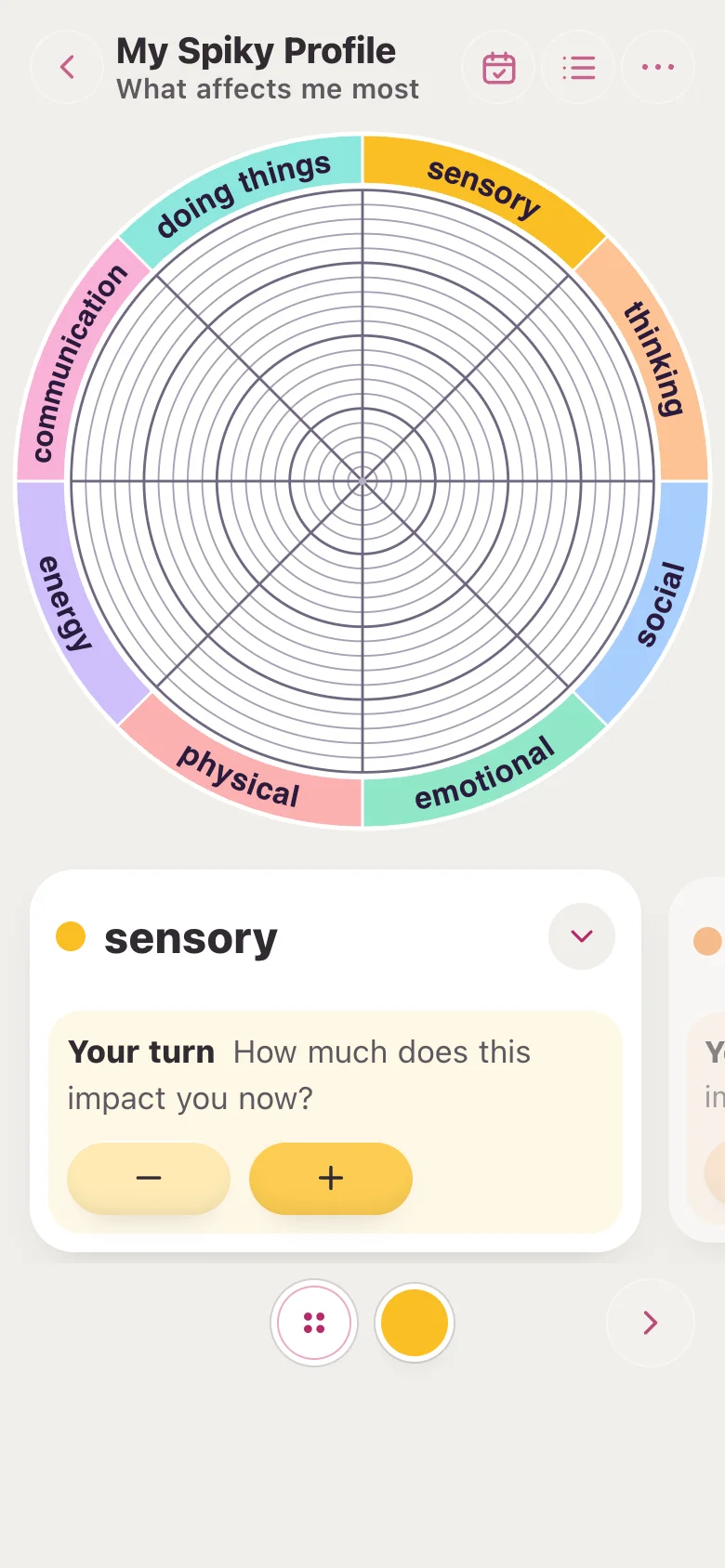
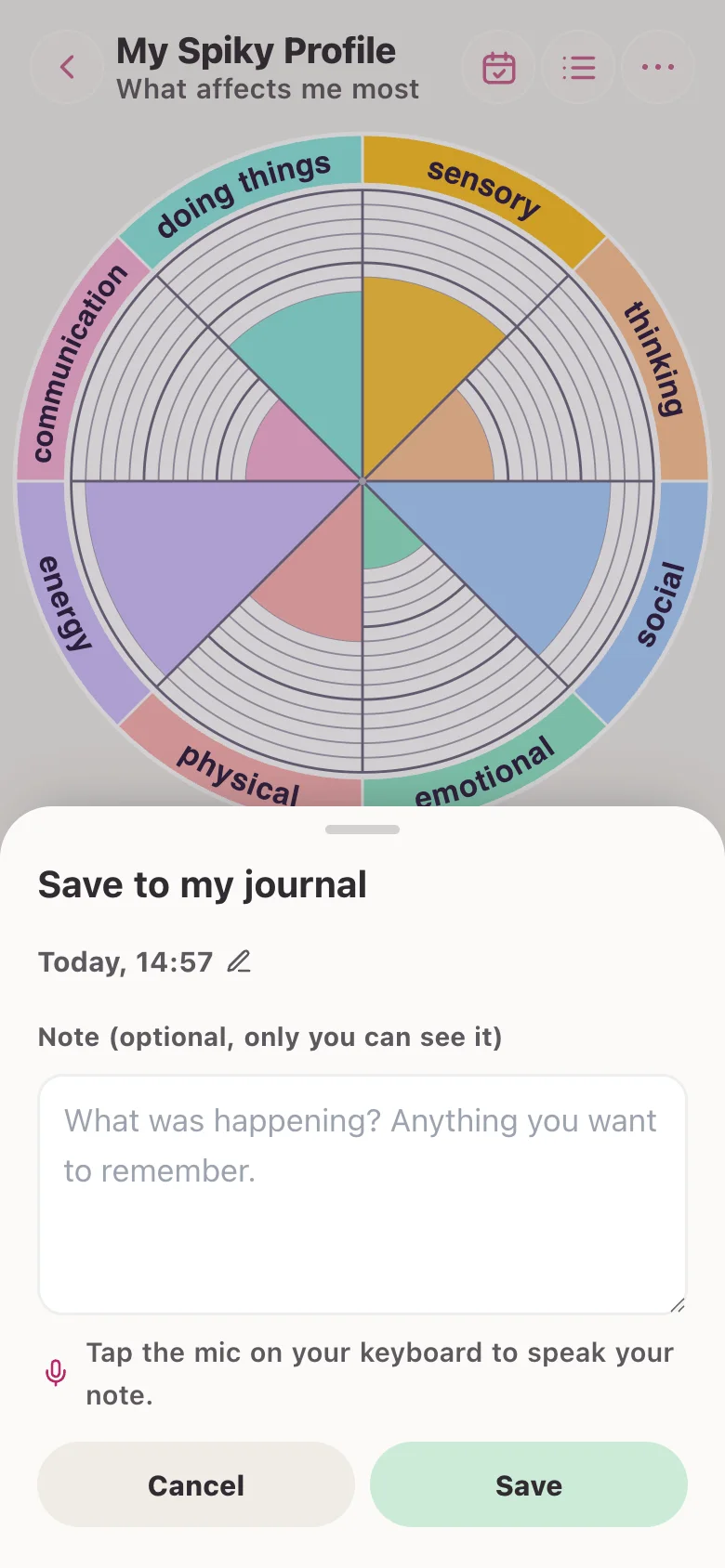
- Open the wheel. The wheel is at the top. The names of the eight areas sit round the edge. Each area has its own colour.
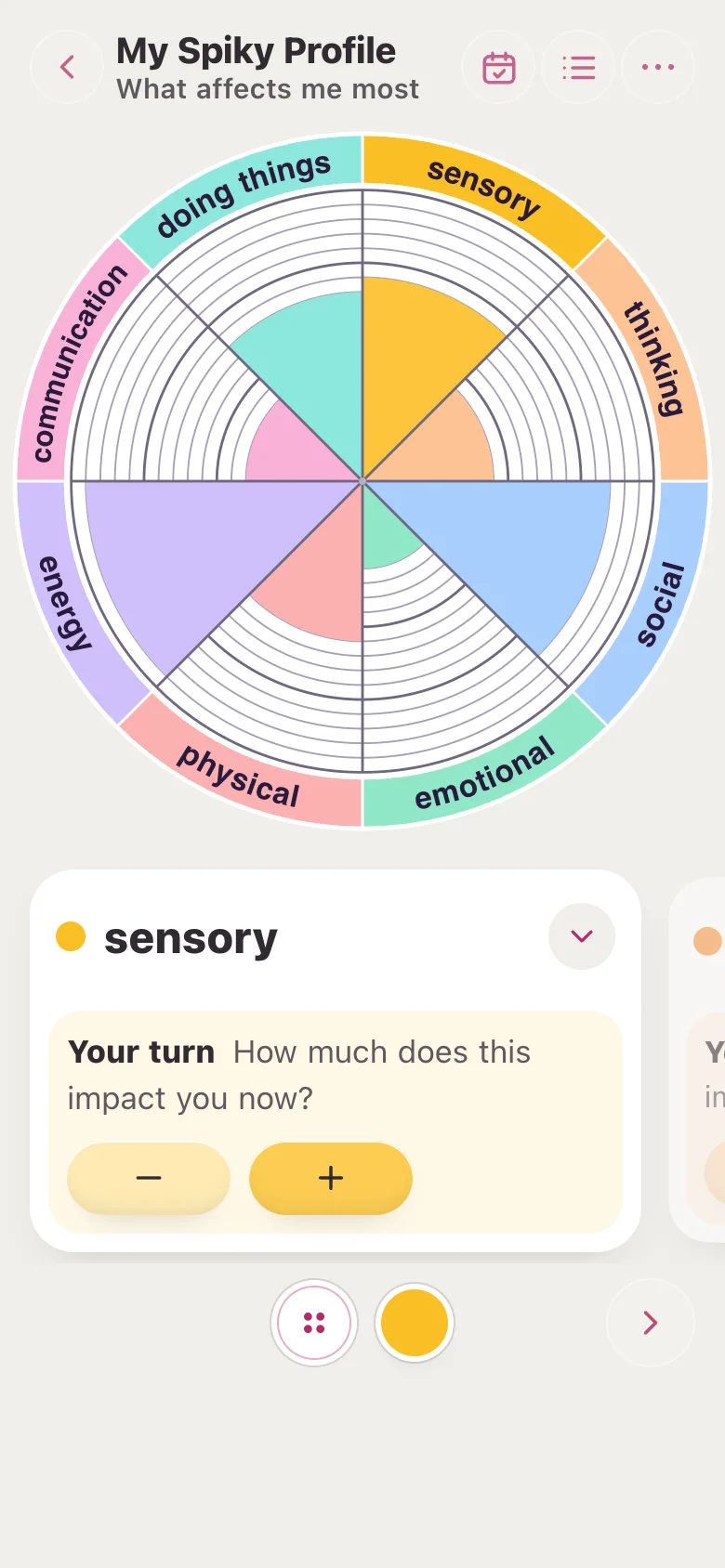
- Drag to fill. Put your finger in the middle of an area and drag outwards. The colour flows in. Drag back in to take some away.
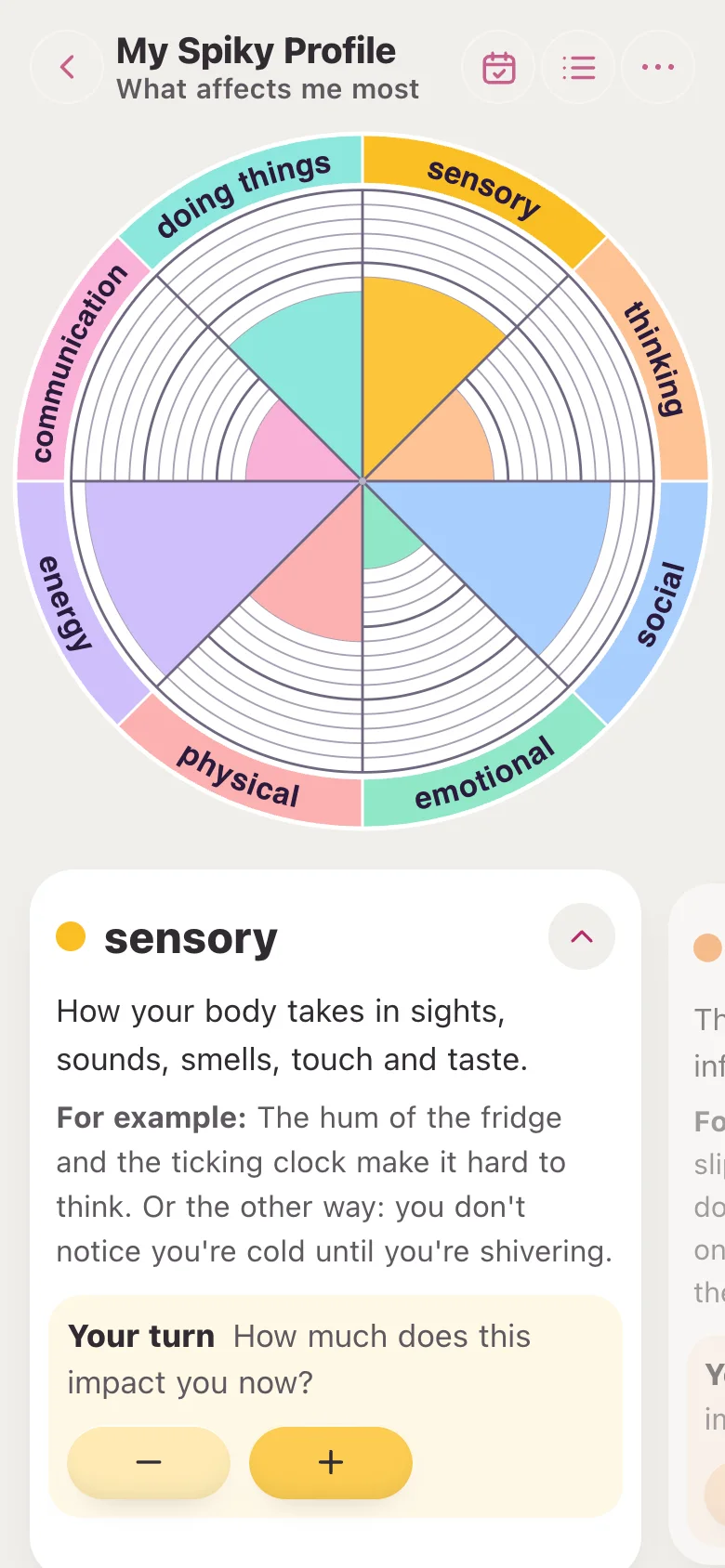
- Read the card. The card under the wheel shows the area you are on. Tap the small arrow to see what it means and an example.
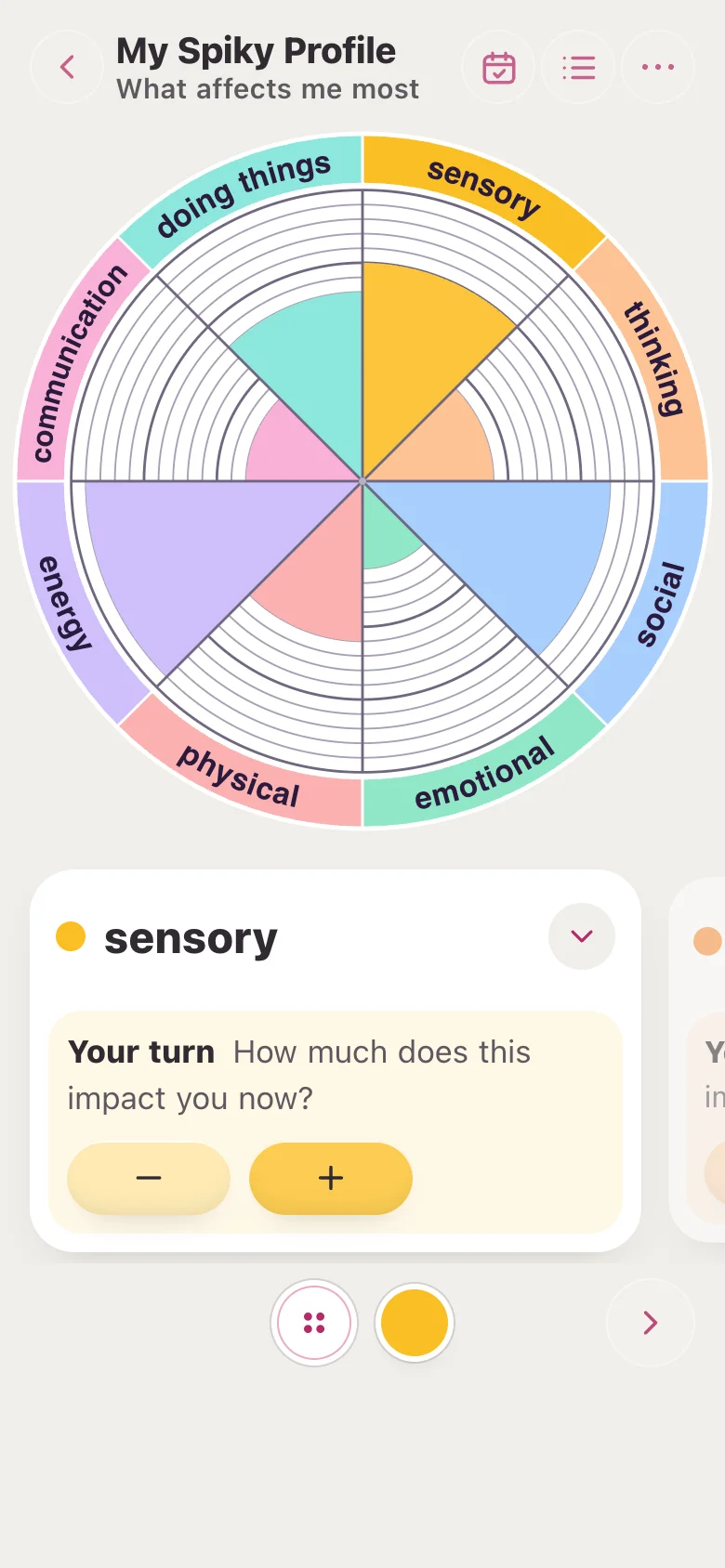
- Your turn. The card asks how much this area is true for you now. Tap minus for less or plus for more.
- Swipe to the next area. Swipe the card sideways to move to the next area. Or tap an area on the wheel.
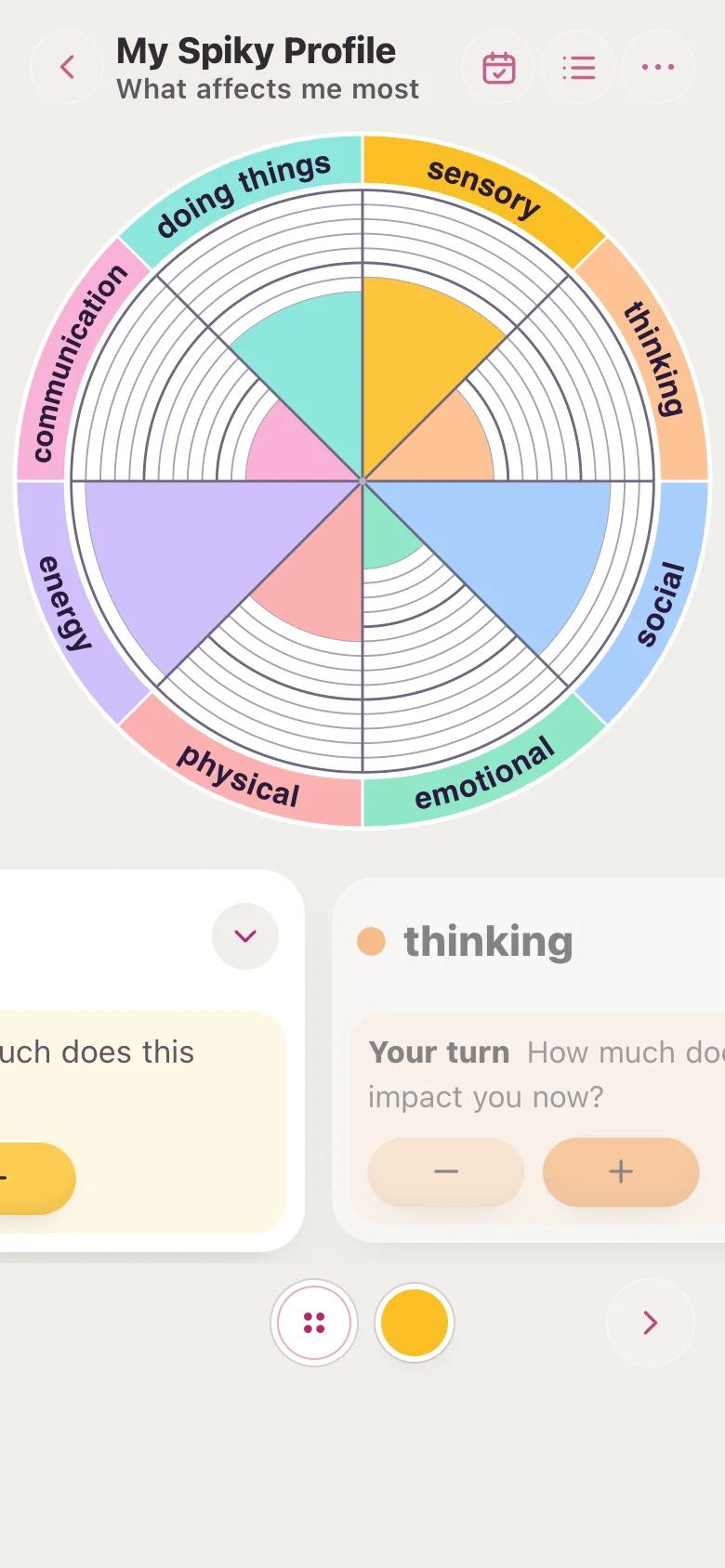
- Choose a profile. Tap the four-dot button at the bottom. Pick one of the five profiles.
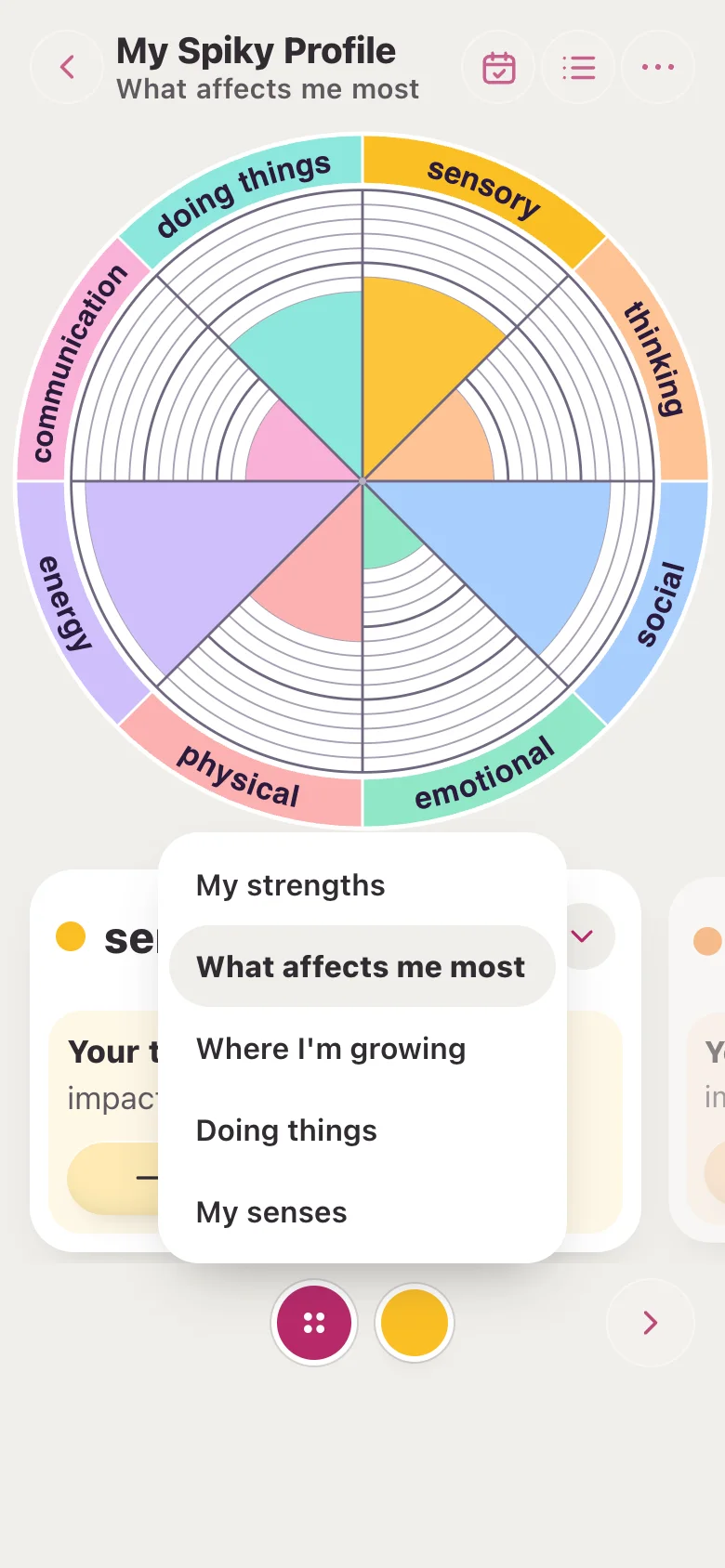
- Change a colour. Tap the colour circle next to it. Pick a soft colour. The wheel and the card change to match.
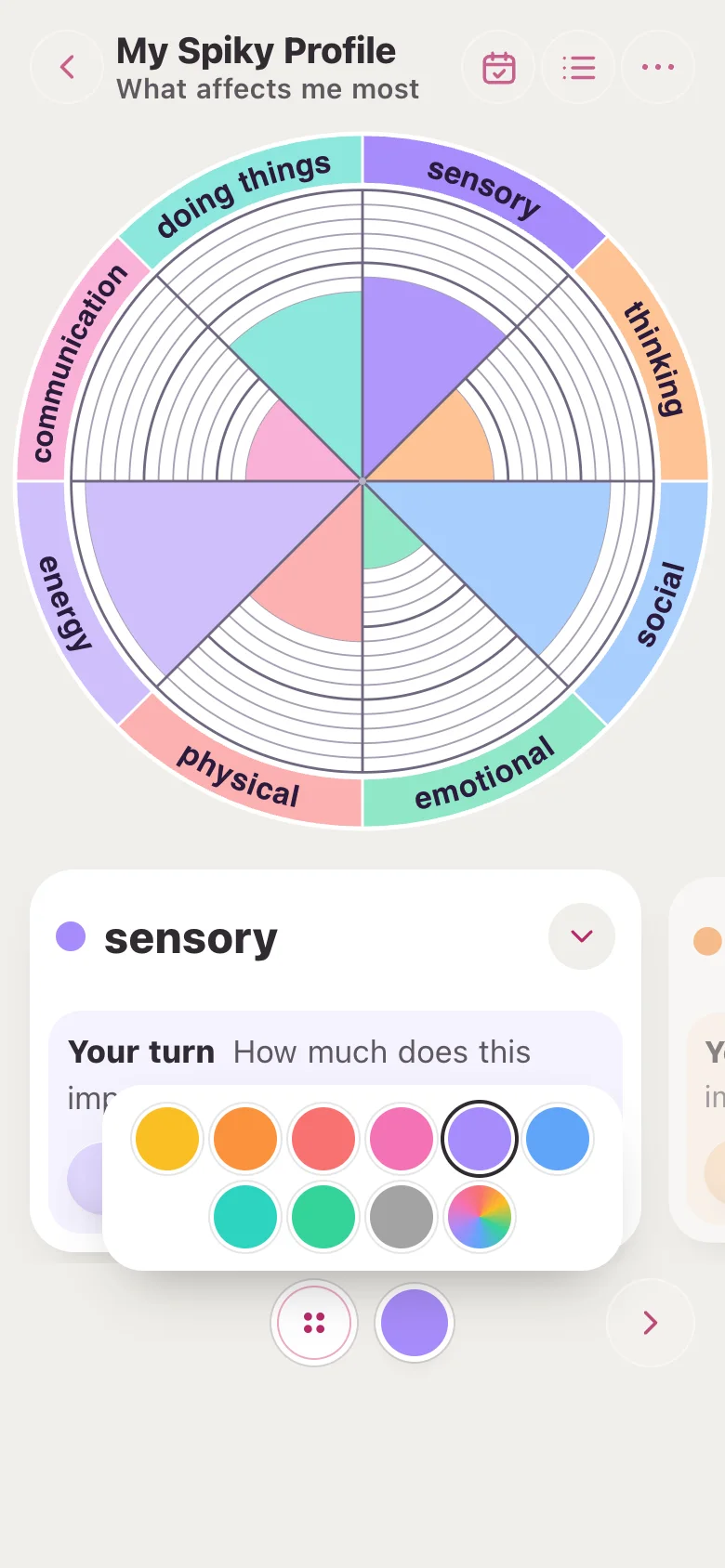
- See all areas. Tap the list icon at the top to see every area at once, each with its own colour bar.
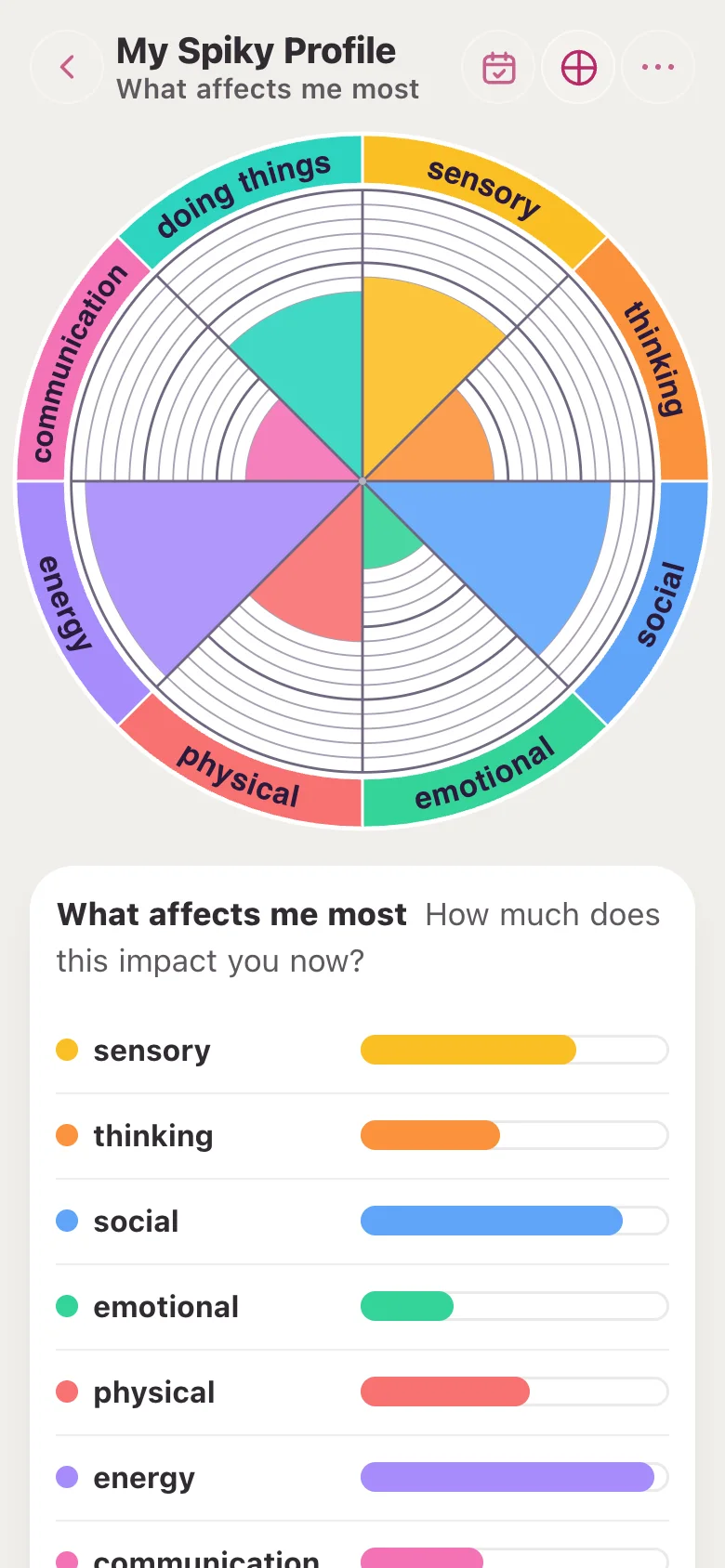
- Save to My Journal. Tap the calendar icon at the top. Check the day and time, add a note if you like, then tap Save.
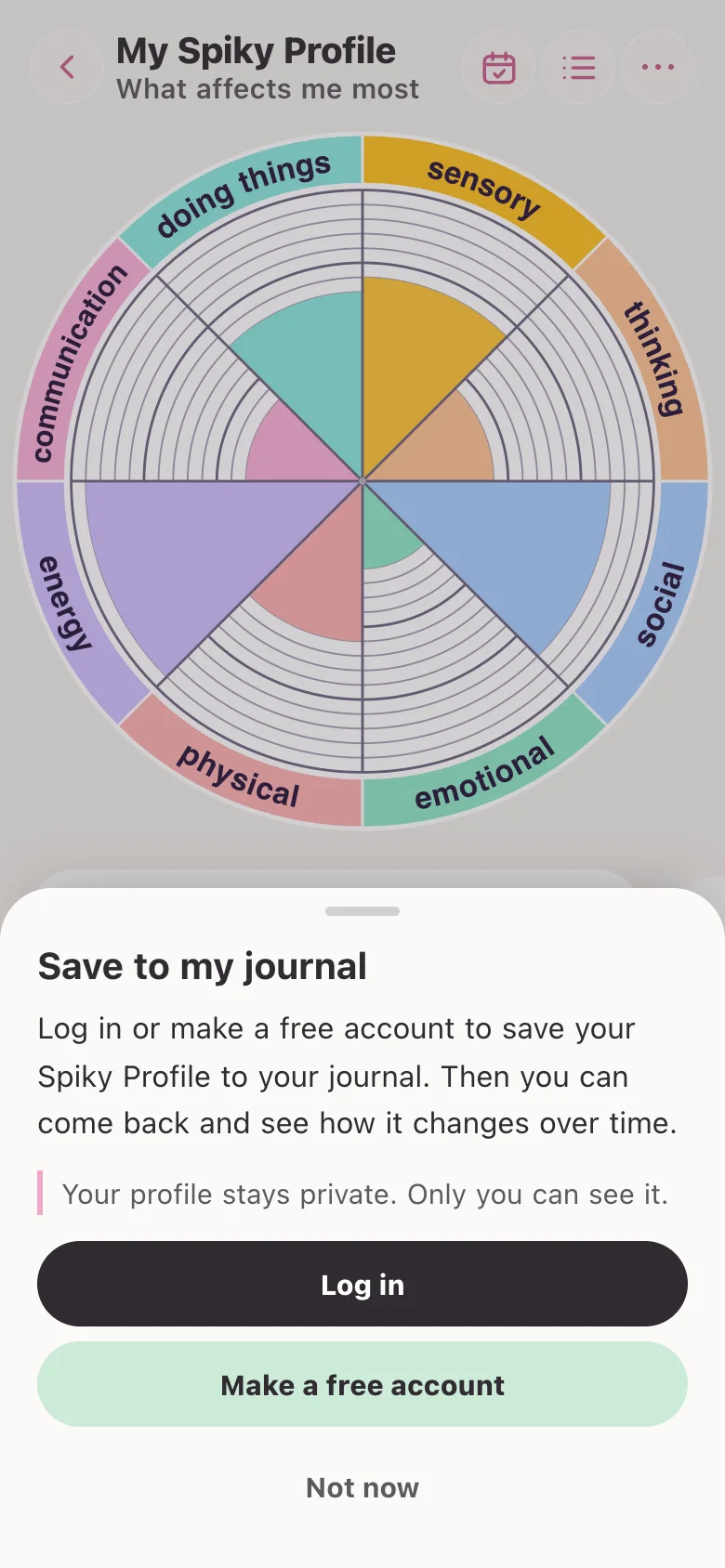
- No account yet?. Log in, or make a free account. You come straight back to your profile, just as you left it.
What else is in the tool?
- Back: The arrow at the top left takes you back to where you were. Your profile stays in this browser.
- Hover or press a name: Rest the mouse on an area’s name, or press and hold it, to see what it means.
- Full screen: On a tablet or computer, tap the full screen icon to make the wheel as big as the screen.
- More: The three dots at the top right: read the area out loud, this guide, and sound on or off.
- Sounds: A soft tick when you swipe to a new area, the same as the Rejection Sensitivity Stack. Turn it off in More.
- In My Journal: Saved profiles show under My Spiky Profiles once you have saved one. Open one to look again, or delete it.
What is a spiky profile?
Most people are not the same in every area. You might find some things easy and other things really hard.
Drawn on a wheel, that makes a spiky shape, not a smooth circle. That shape is a spiky profile.
The term is often used by neurodivergent people, such as autistic people, people with ADHD and people with dyslexia. But anyone can map one.
A spiky profile is not good or bad. It is a picture of you, today. It can help you understand yourself and explain what you need to other people.
The five profiles
Tap the four-dot button at the bottom of the tool to choose one. Each profile keeps its own colours and answers.
My strengths
What you are good at, or what comes naturally. You name the eight areas yourself, for example kindness, spotting detail or humour.
What affects me most
The areas of life that impact you most right now.
Areas: sensory, thinking, social, emotional, physical, energy, communication, doing things.
Where I’m growing
The skills and qualities that are growing for you.
Areas: resilience, learning, connection, creativity, self-kindness, flexibility, purpose, confidence.
Doing things
How easy everyday tasks feel: getting started, planning, remembering and more. Sometimes called executive functioning.
Areas: priorities, planning, organising, starting, remembering, pacing, flexibility, regulation.
My senses
How strongly you feel each sense. Too much, or not enough.
Areas: sight, touch, smell, taste, movement, hearing, closeness, clothing.
Who can see my profile?
While you use the tool, your profile stays in your own browser. It is not sent anywhere.
If you save it, it goes to My Journal with the day, the time and a note if you add one. It is private to your account. Only you can see it.
You can delete a saved profile at any time.
Is it a diagnosis?
My Spiky Profile is a reflection tool. It is not a test, an assessment or a diagnosis. If it stirs things up, take a break, or talk to someone you trust.
If you need help now, go to Crisis support for free UK helplines.
Frequently asked questions
What is a spiky profile?
A spiky profile is a picture of how uneven your strengths and needs are. Some areas are high and some are low, so on a wheel it looks spiky rather than round. It is often used by neurodivergent people, such as autistic people and people with ADHD or dyslexia, but anyone can make one.
Is My Spiky Profile free?
Yes. My Spiky Profile is free and anyone can use it without an account. To save a profile to My Journal you need a free Glad We Talked® account.
What are the five types of spiky profile?
My strengths, What affects me most, Where I’m growing, Doing things and My senses. Each one has eight areas. Doing things covers executive functioning, such as getting started, planning and remembering. My senses covers sight, touch, smell, taste, movement, hearing, closeness and clothing.
Is a spiky profile a diagnosis?
No. My Spiky Profile is a reflection tool, not a test, assessment or diagnosis. It can help you understand yourself and talk about what you need, but it cannot tell you if you are autistic, have ADHD or are dyslexic.
Why are there no numbers?
Numbers can feel like a score or a test. Instead you fill each area with colour: more colour means more. It is calmer and easier to read, especially for dyslexic people.
Who can see my spiky profile?
Only you. While you use the tool, your profile stays in your own browser. If you save it, it goes to My Journal, which is private to your account. You can delete it at any time.
Can I change the names and colours?
You can change the colour of any area with the colour button. In My strengths you name the eight areas yourself. Each profile keeps its own colours and answers.
Does it work on a phone, tablet and computer?
Yes. On a phone the wheel fills the screen and you swipe the cards. On a tablet or computer you can also make the wheel full screen.
How can a spiky profile help at school or work?
A spiky profile can help you explain what comes easily and what is hard, so you can ask for the support or changes you need. You might share a saved profile with a teacher, manager or therapist if you choose to.
What if it brings up difficult feelings?
Take a break whenever you need to. My Spiky Profile isn’t crisis support. If you need to talk to someone now, our crisis support page lists free UK helplines, including Samaritans on 116 123.
Related pages
- The Rejection Sensitivity Stack: a free reflection tool for seeing what sits under a big reaction to rejection
- Scribble Pad: a free release tool for scribbling a feeling out
- How I’m Wired: a free strengths and needs reflection tool for adults
- Free resources: more free tools, guides and check-ins
- Crisis support: free UK helplines if you need help now