How to use My Sensory Map
If you only have a minute: My Sensory Map is a free tool from Glad We Talked®. It shows how strong each of your senses feels: sound, light, touch, taste, smell, movement, body position and inside signals. Start with a usual day. Then add one other time, such as tired, hungry, rushed or stressed, to see what changes. Both show on one ring, in two shades of the same colour, so the difference is easy to see. Anyone can use it. With a free account you can save it to My Journal. It is a reflection tool, not a test or a diagnosis.
Open My Sensory Map · Join free
Eight short steps
- Open the ring. The ring is at the top. The eight senses sit round the edge, each in its own soft colour.
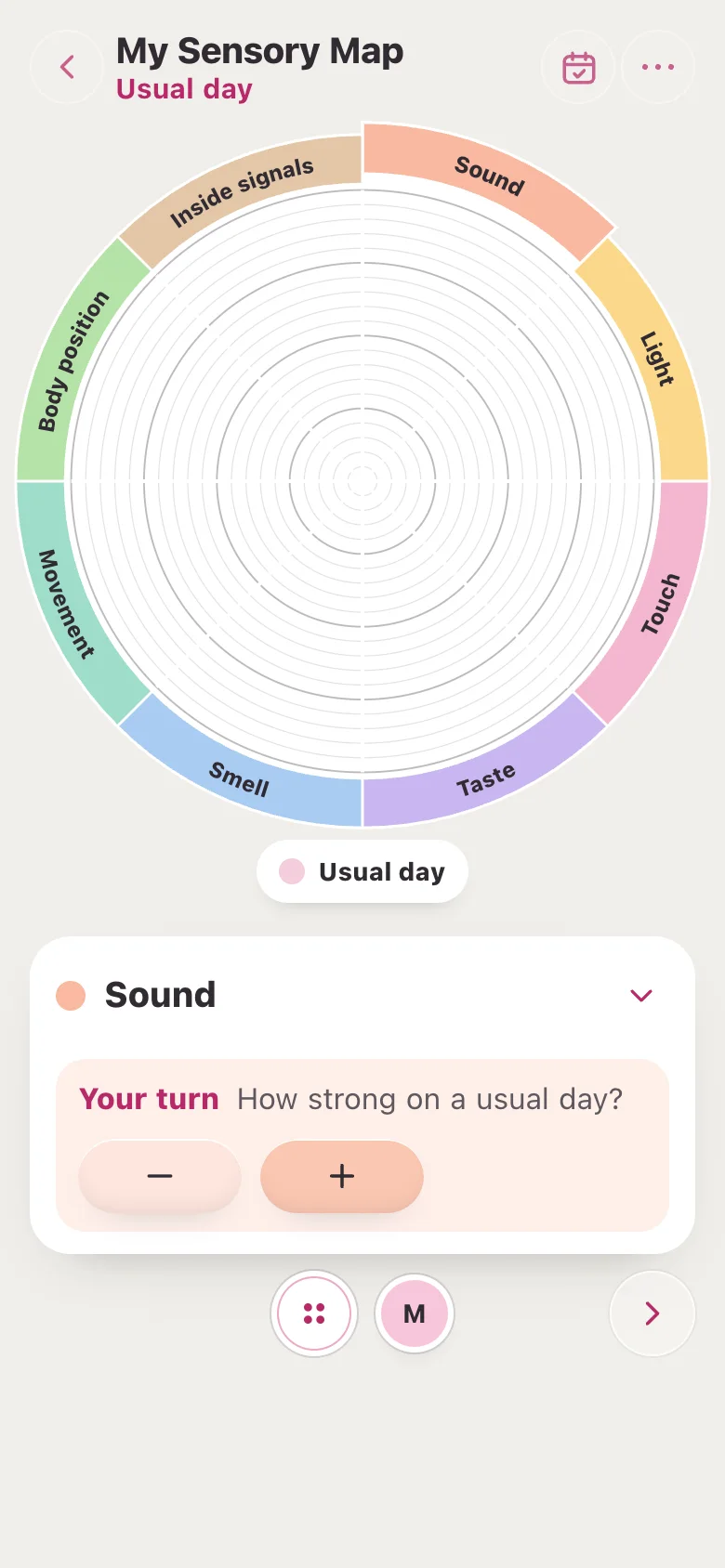
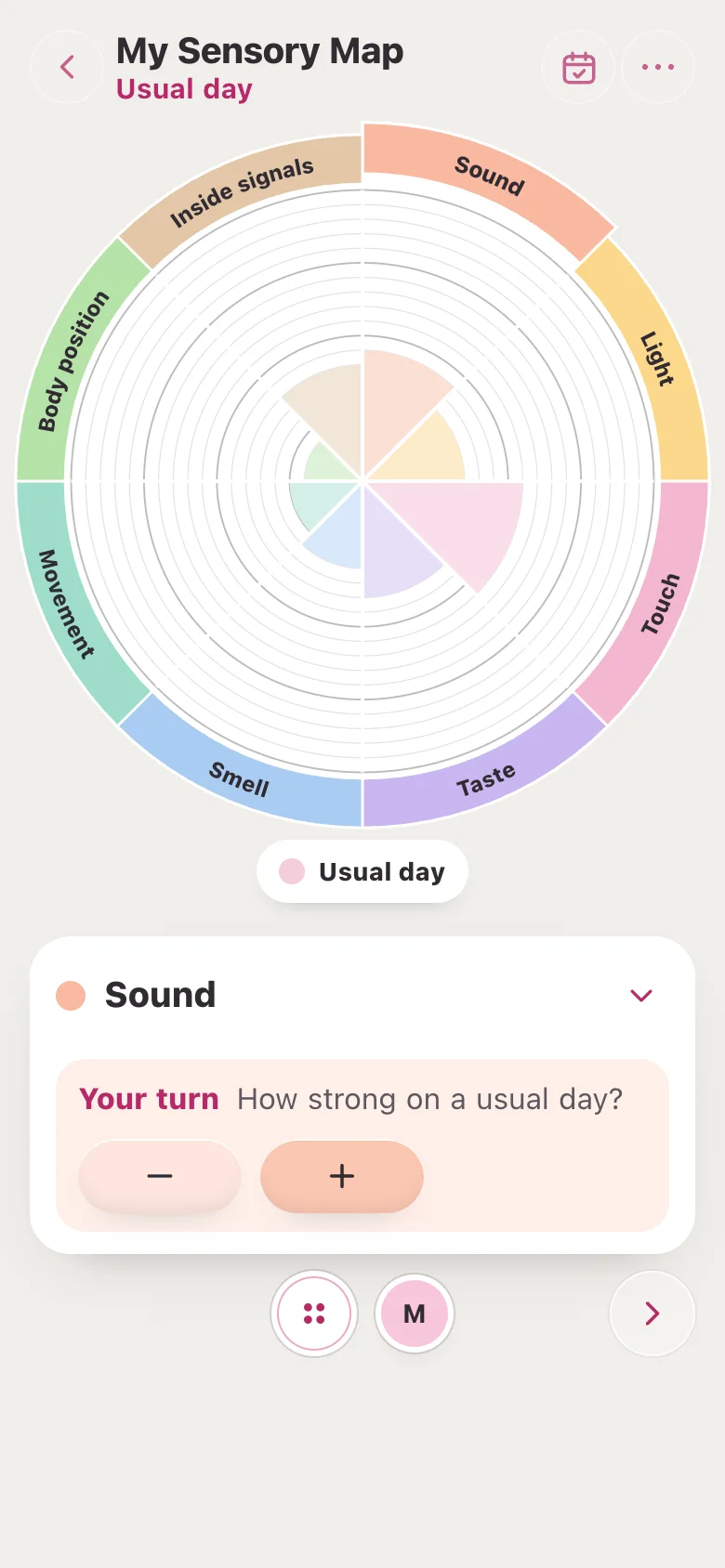
- Drag to fill. Start with a usual day. Put your finger in the middle of a sense and drag outwards. More colour means it feels stronger.
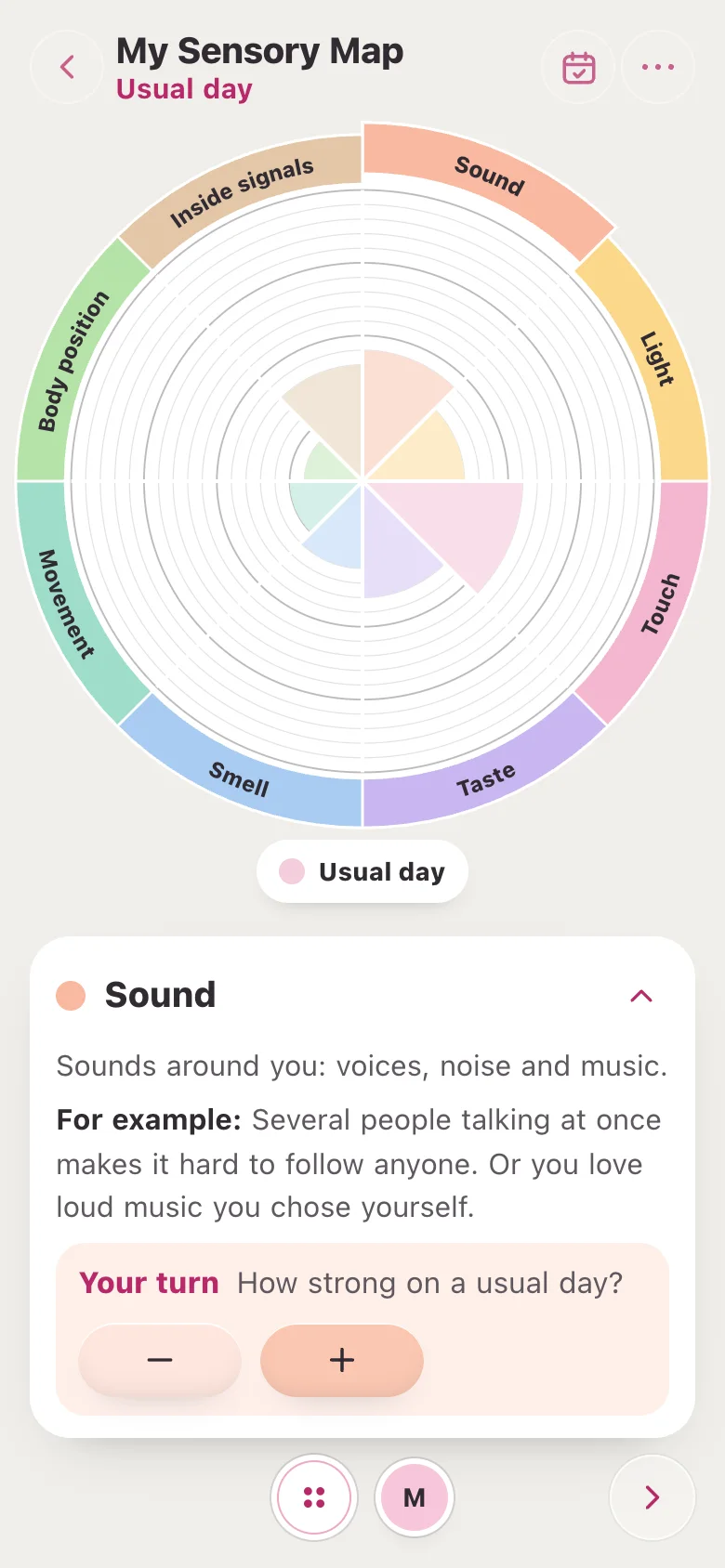
- Read the card. The card shows the sense you are on. Tap its name to see what it means and an example.
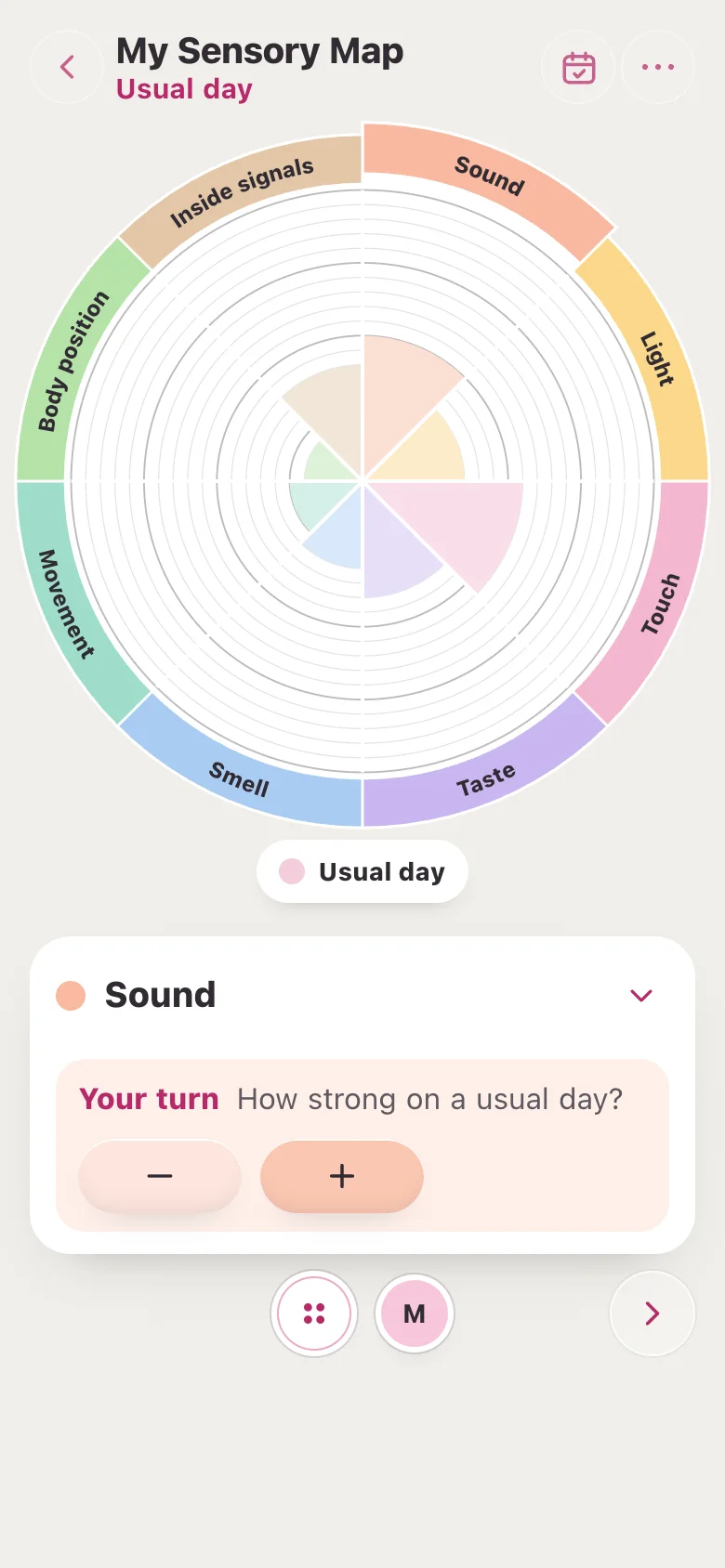
- Your turn. The card asks how strong this sense feels. Tap minus for softer or plus for stronger.
- Swipe to the next sense. Swipe the card left for the next sense, or right for the one before. You can also tap the arrows, or a sense on the ring.
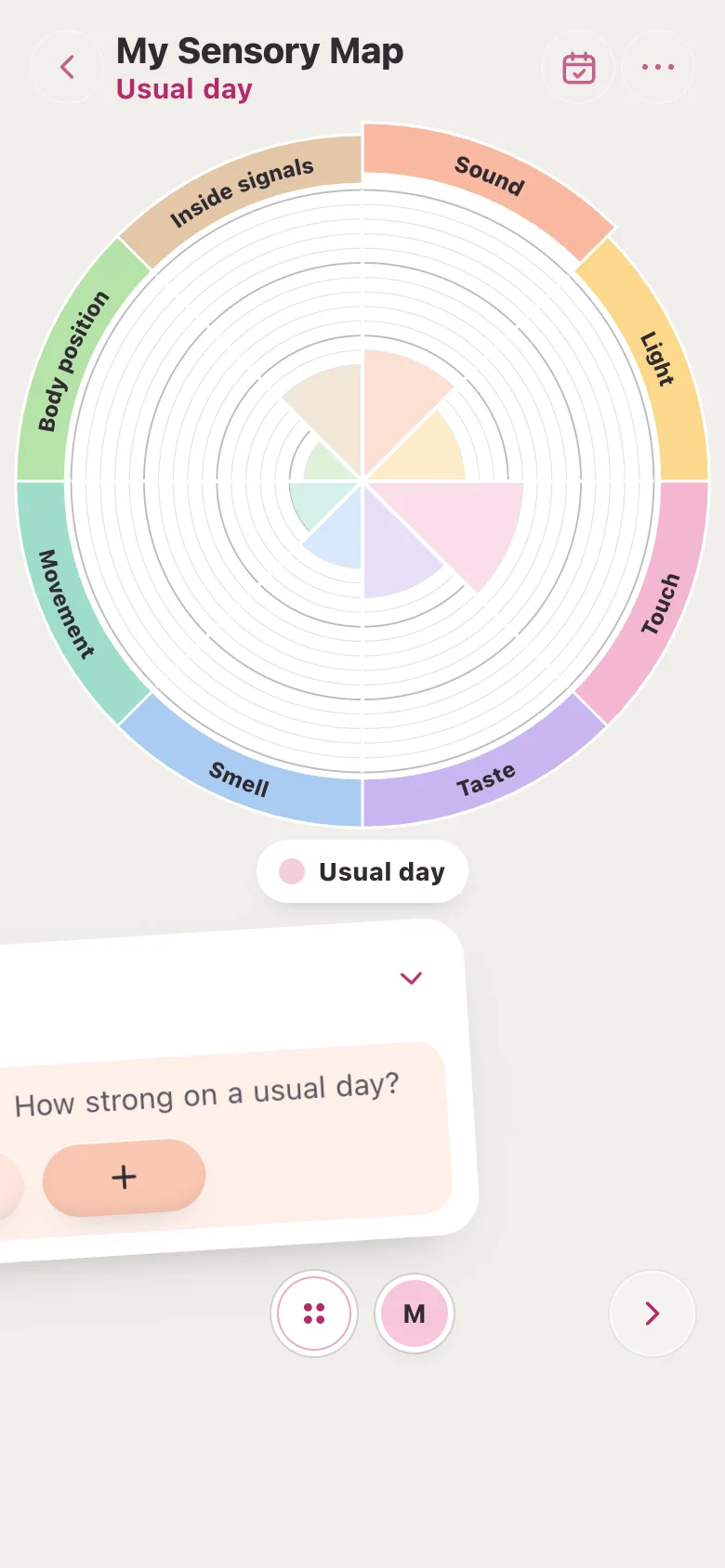
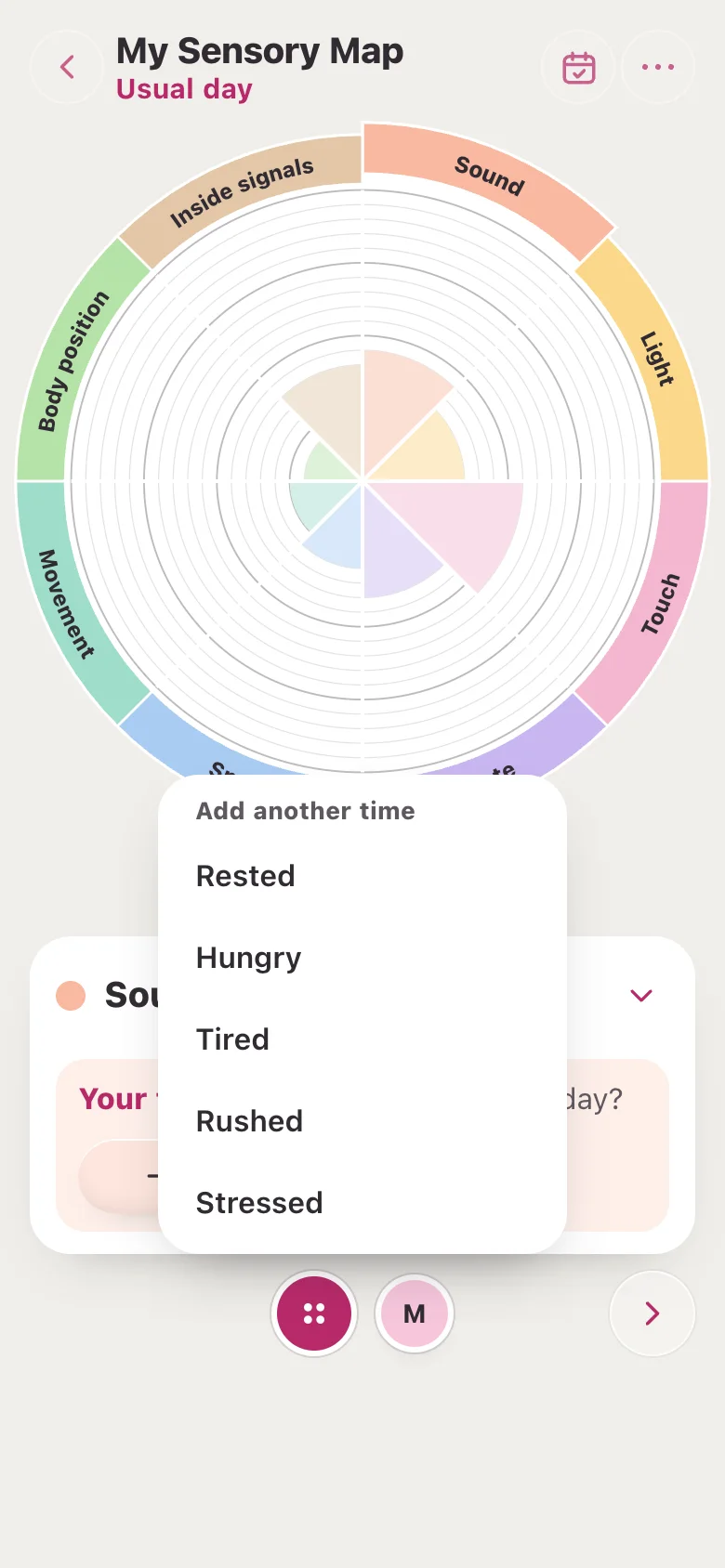
- Add another time. Tap the four-dot button at the bottom. Choose Add another time, then pick one, such as tired or rushed.
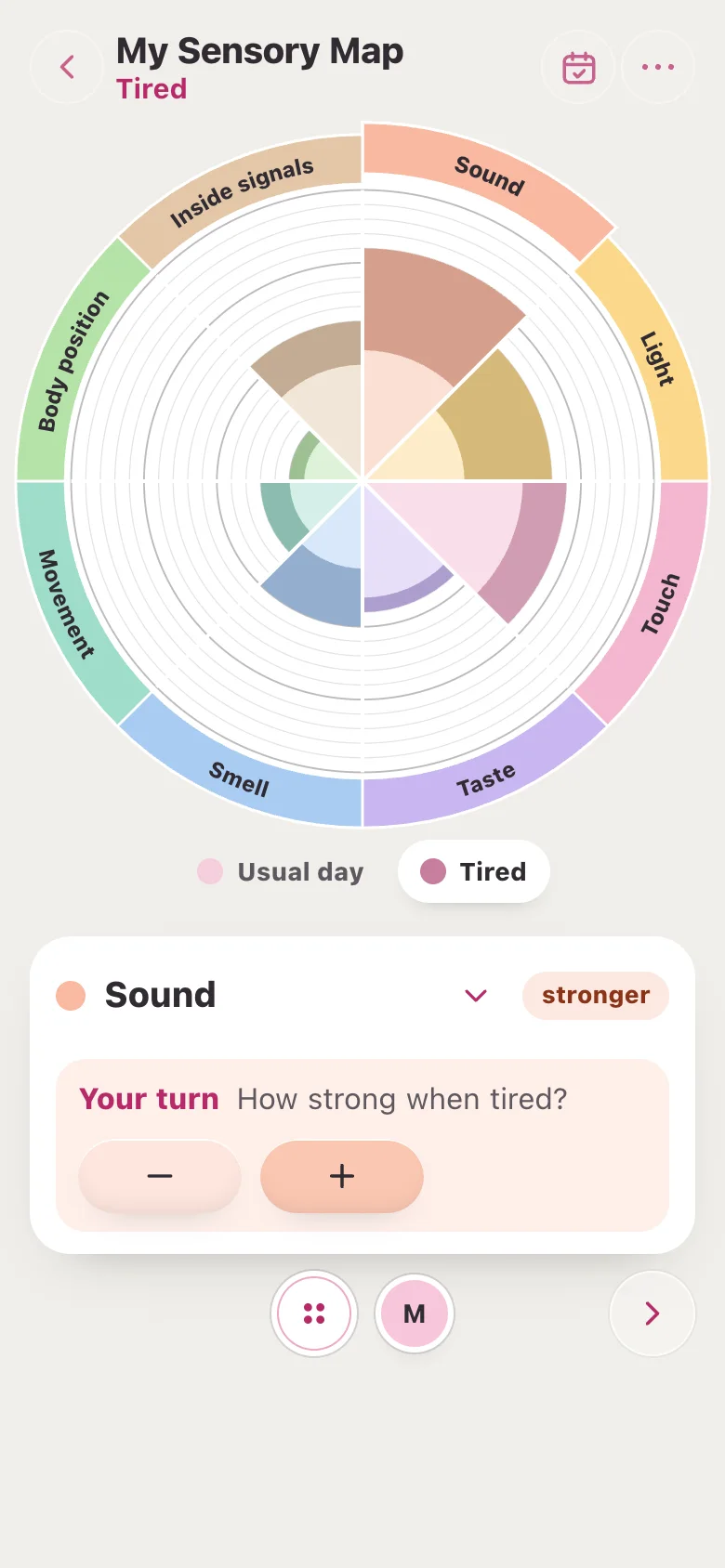
- See the difference. The other time shows in a darker shade of the same colour. A small tag on each card says stronger, softer or the same.
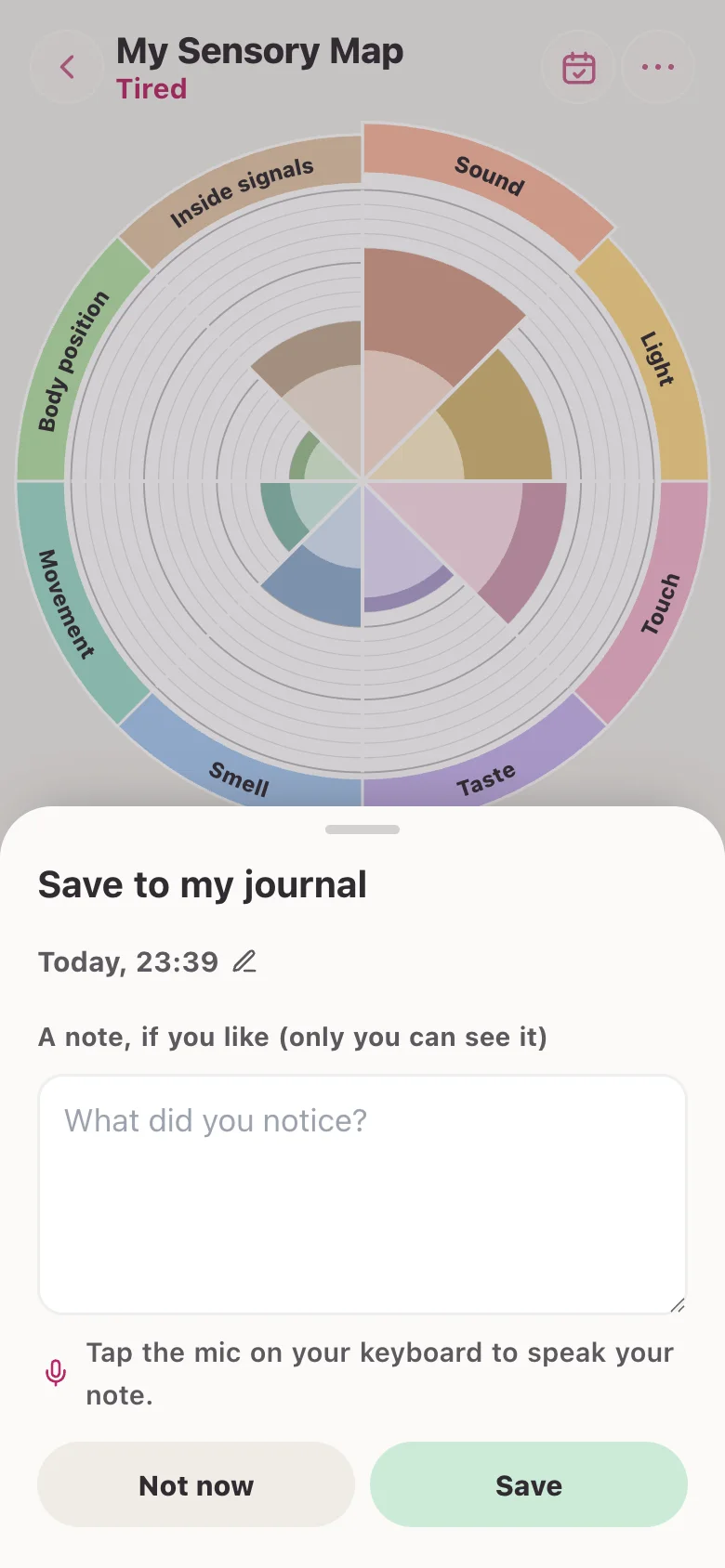
- Save to My Journal. Tap the calendar icon at the top. Check the day and time, add a note if you like, then tap Save.
What else is in the tool?
- Hover or press a name: Rest the mouse on a sense’s name on the ring, or press and hold it, to see what it means.
- Family maps: Tap the round letter button next to the four dots to make a map for someone else in your family.
- The last card: After the eight senses, a last card shows which sense grows the most, and three questions you can think about.
- More: The three dots at the top right: read the sense out loud, this guide, more help with this activity, and sound on or off.
- Sounds: A soft tick when you swipe to a new sense, the same as My Spiky Profile. Turn it off in More.
What does it save?
Each save keeps one map: the person’s name, a usual day, the other time if you added one, and how strong each sense was.
It also keeps the day and time, and a note if you write one.
Saved maps show in My Journal under My Sensory Maps. Open one to look again, or delete it.
Who can see my map?
While you use the tool, your map stays in your own browser. It is not sent anywhere.
If you save it, it goes to My Journal. It is private to your account. Only you can see it.
You can delete a saved map at any time.
Is it a diagnosis?
My Sensory Map is a reflection tool. It is not a test, an assessment or a diagnosis. If it stirs things up, take a break, or talk to someone you trust.
If you need help now, go to Crisis support for free UK helplines.
Want more help with this?
My Sensory Map comes from Module 1 of Finding My Steady: Families and Parents.
In Lesson 7, we look at why the same sound or texture can feel fine one day and too much the next, and what can help.
Frequently asked questions
What is a sensory map?
A sensory map is a picture of how strongly you feel each sense, such as sound, light and touch. My Sensory Map also shows how that changes with your energy, for example on a usual day compared with when you are tired or stressed.
Is My Sensory Map free?
Yes. My Sensory Map is free and anyone can use it without an account. To save a map to My Journal you need a free Glad We Talked® account.
Which senses does it cover?
Eight: sound, light, touch, taste, smell, movement, body position and inside signals. Inside signals are things like hunger, thirst and needing the toilet.
Why does a sense feel stronger some days?
When you are tired, hungry, rushed or stressed, you have less energy to cope with what your senses take in. The same sound or texture can then feel much stronger. Seeing it on a map can help you plan and ask for what helps.
Can I make a map for my child?
Yes. Tap the round letter button at the bottom of the tool and choose Add someone. Each person has their own map.
Is a sensory map a diagnosis?
No. My Sensory Map is a reflection tool, not a test, assessment or diagnosis. It cannot tell you if you or your child are autistic or have sensory processing differences.
Who can see my sensory map?
Only you. While you use the tool, your map stays in your own browser. If you save it, it goes to My Journal, which is private to your account. You can delete it at any time.
Related pages
- My Spiky Profile: a free tool for mapping your strengths, senses and what affects you on one wheel
- The Rejection Sensitivity Stack: a free reflection tool for seeing what sits under a big reaction to rejection
- Free resources: more free tools, guides and check-ins
- Crisis support: free UK helplines if you need help now